

CSC Billing & Data Management Software – The Free Tool Every CSC VLE Needs
Discover the ultimate, free billing software for CSC VLEs, Grahak Seva Kendra operators, and small shop owners. This powerful data management tool for CSC helps you track customers, manage payments, and generate reports easily. Get started with this essential CSC VLE tool today!
Are you a CSC Village Level Entrepreneur (VLE), a Grahak Seva Kendra operator, or a small shop owner struggling to keep track of your customer records, billing, and payments? The days of manual ledgers, scattered paperwork, and lost data are over. Introducing the CSC Billing & Data Management Software, a revolutionary free billing software designed specifically to simplify your business operations.
This powerful, intuitive tool is the perfect customer management system for anyone looking to streamline their workflow, save time, and maintain accurate records without spending a single rupee. It’s not just a simple record book; it’s a comprehensive online Grahak Seva Kendra software that brings professionalism and efficiency to your fingertips.
Key Features and Unmatched Benefits
This software isn’t just free; it’s feature-rich and built to empower you. Here’s a look at some of its core capabilities and why it stands out as an essential CSC VLE tool.
- Free and Accessible for Everyone: The biggest advantage is that this software is completely free. There are no hidden costs, subscriptions, or fees. Simply open it up and start managing your business right away.
- Intuitive and Easy to Use: The user interface is clean, modern, and designed for simplicity. Even if you’re not a tech expert, you’ll find it incredibly easy to navigate. From entering customer details to viewing reports, every function is straightforward and logical.
- Secure Data Management Tool for CSC: Your data is your most valuable asset. This system provides a safe and reliable way to store all your customer and transaction records. You can rest assured that your information is organized and secure.
- Comprehensive Customer and Payment Tracking: Keep a complete history of every customer. The software allows you to track payable amounts, received payments, and pending balances automatically. This eliminates manual calculation errors and gives you an instant overview of your finances.
- Printable Reports for Professionalism: Need to give a customer a receipt or an invoice? The software can generate professional-looking, printable reports directly from the system, enhancing your business’s credibility and providing clear documentation.
- Seamless Export to Excel: For those who need to perform more detailed analysis or simply keep a local backup, the data management tool for CSC offers a one-click export to Excel feature. This allows you to easily save your customer data and payment summaries as an .xlsx file.
- Quick Filtering and Search: Looking for a specific record? You can easily filter and search through your customer database by status (Pending, Complete, Rejected), customer name, or receipt number. This saves you valuable time that would otherwise be spent sifting through paper files.
A Step-by-Step Guide to Using the Software
Getting started with this online Grahak Seva Kendra software is quick and easy. Let’s walk through the main sections of the application so you can see just how simple it is to use.
1. The Dashboard: Your Command Center
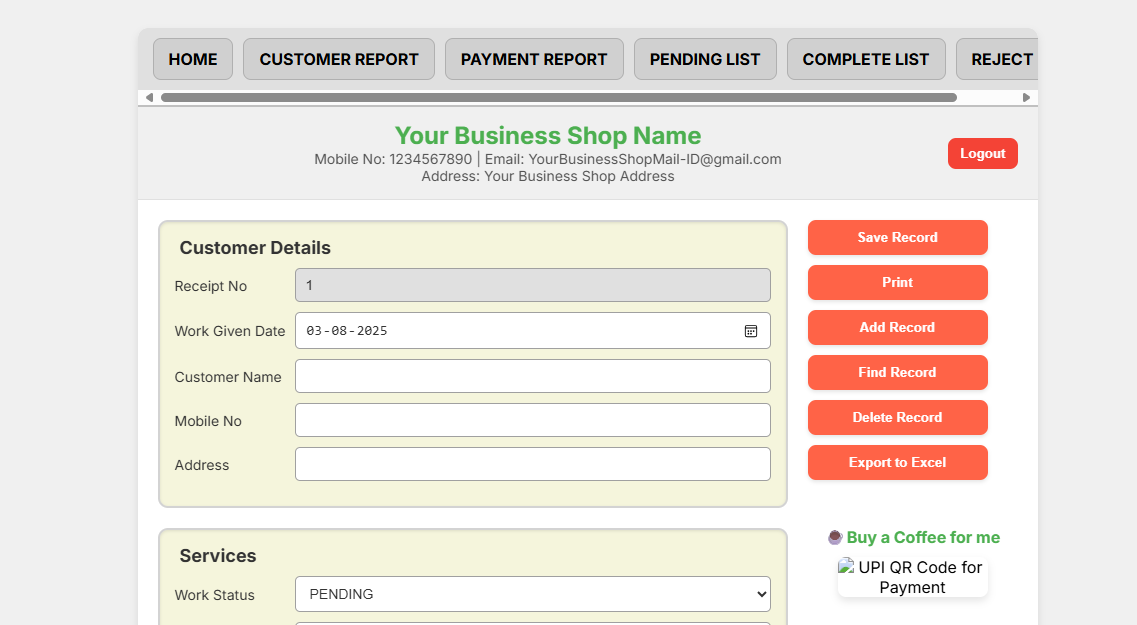
Upon logging in, you are greeted with a clean and organized dashboard. The top navigation bar gives you instant access to all reports and lists. The main dashboard is where you’ll find a series of easy-to-fill forms to handle your daily transactions.
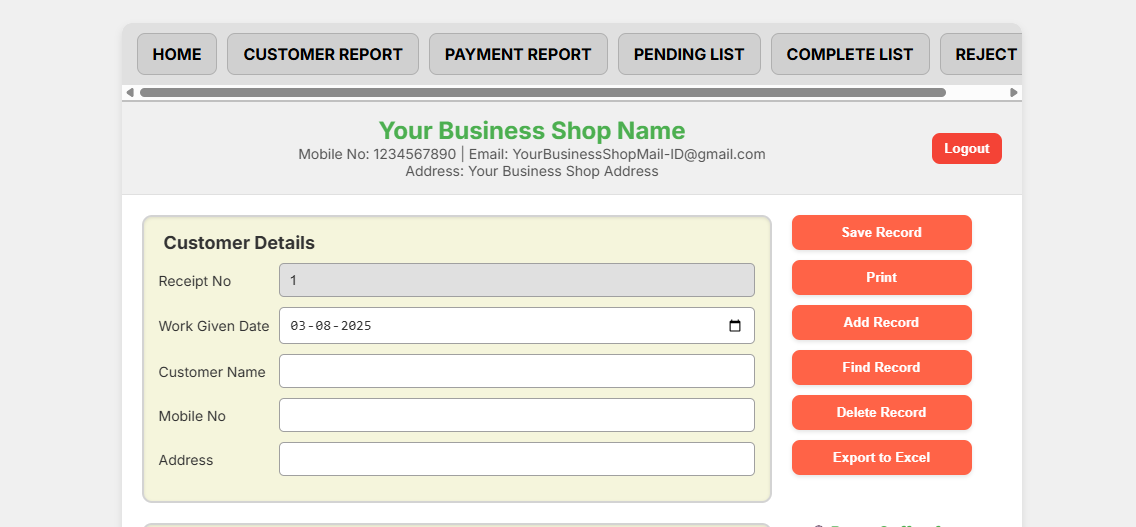
The main dashboard features a clear navigation bar and forms for Customer, Service, and Payment details.
2. Customer and Service Details
This section is all about capturing the core information for each transaction.
- Receipt No: This is automatically generated for you, ensuring every transaction has a unique identifier.
- Customer Name, Mobile No, Address: Fill in the basic contact information for your client.
- Work Status & Works: You can set the status of a job (e.g., PENDING, COMPLETE, REJECTED) and describe the work being done. This is a powerful feature for your customer management system.
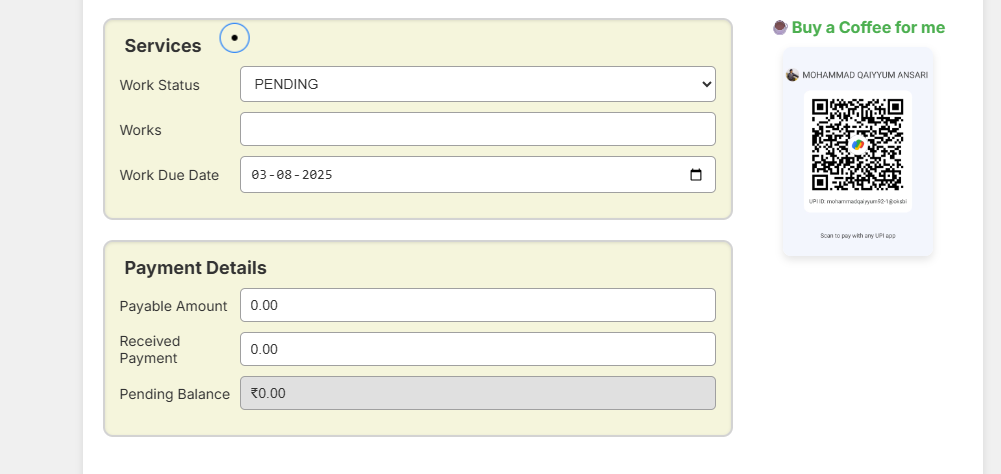
Forms for Customer Details and Service Details make it simple to record a new transaction.
3. Payment Details and Balance Tracking
This is where the magic of the free billing software truly shines. The payment section is designed to be as simple as possible.
- Payable Amount: Enter the total cost of the work.
- Received Payment: Record any amount received from the customer.
- Pending Balance: The software automatically calculates and displays the remaining balance. No need for a calculator!
Once you’ve filled in the details, simply click the “Save Record” button to add the transaction to your database.
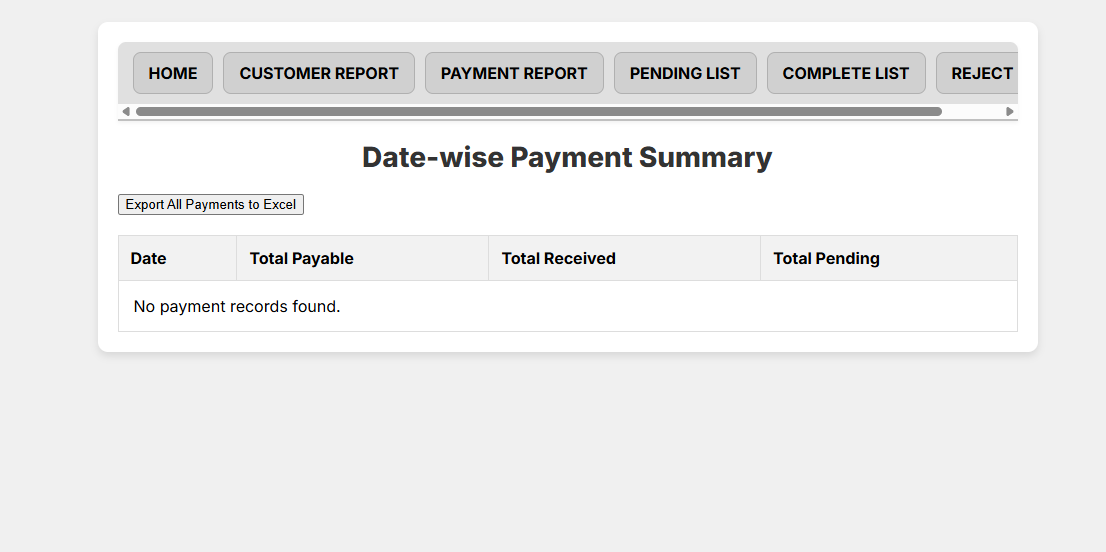
The Payment section tracks Payable, Received, and automatically calculates the Pending Balance.
4. Viewing and Managing Reports
The top navigation bar is your gateway to powerful reporting.
- Customer Report: View a comprehensive list of all your customer records. You can filter this list by status (Pending, Complete, etc.), customer name, or receipt number, making it a highly effective data management tool for CSC.
- Payment Report: Get a clear, date-wise summary of all your payments. This report shows total payable, total received, and total pending for each day, offering a great financial overview.
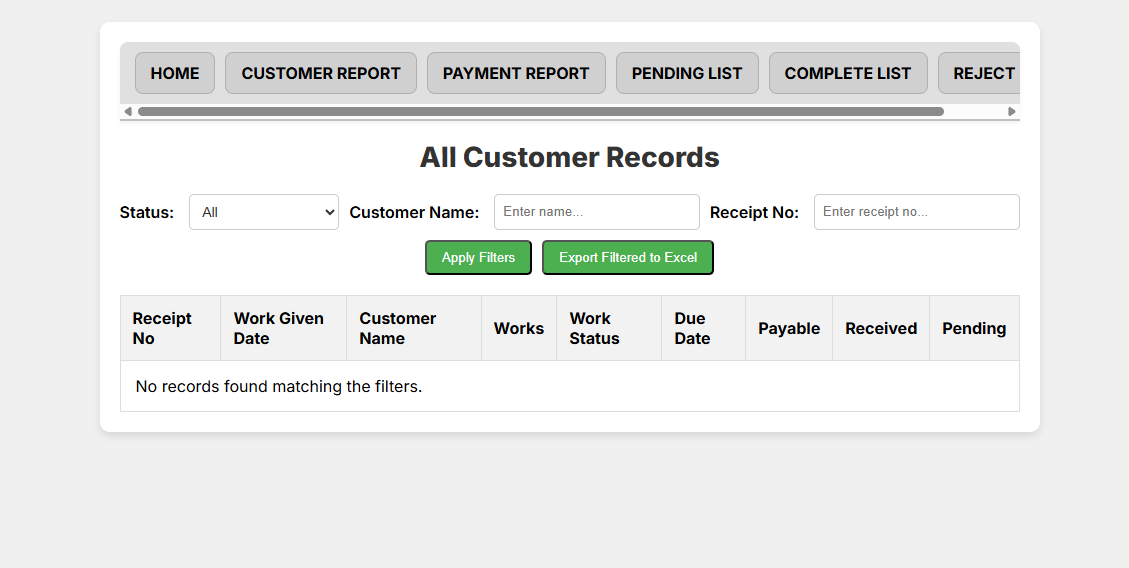
Easily filter and view all your customer records with a few clicks.
5. Exporting Your Data to Excel
Want to keep a copy of your records? The software makes it easy. On both the Customer and Payment report pages, you’ll find a button to “Export to Excel”. This instantly downloads your data as a spreadsheet, ready for your records or further analysis. This is a must-have feature for any robust customer management system.
The Export to Excel button allows you to save your filtered or full report as a spreadsheet.
Why is This Software the Best Solution for You?
In the competitive world of Grahak Seva Kendras and small businesses, efficiency and professionalism are key. This software provides both. It elevates your service by providing instant, accurate records and professional reports. As a dedicated CSC VLE tool, it’s built to address the specific needs of your business. It saves you time that you can reinvest into serving more customers or expanding your services.
The fact that it’s a free billing software means there’s zero risk in trying it out. You can say goodbye to the frustration of manual errors and the anxiety of losing your data. This is the modern, digital solution you’ve been waiting for.